
基础部分 · The Basics of CD2
CD2 基础知识
CD2 界面 · The CD2 GUI
CD2 提供了一个简单的操作界面,兼容 ModHub 和 UUI(Unified UI)。
英文原文
CD2 features a simple GUI compatible with both ModHub and UUI:
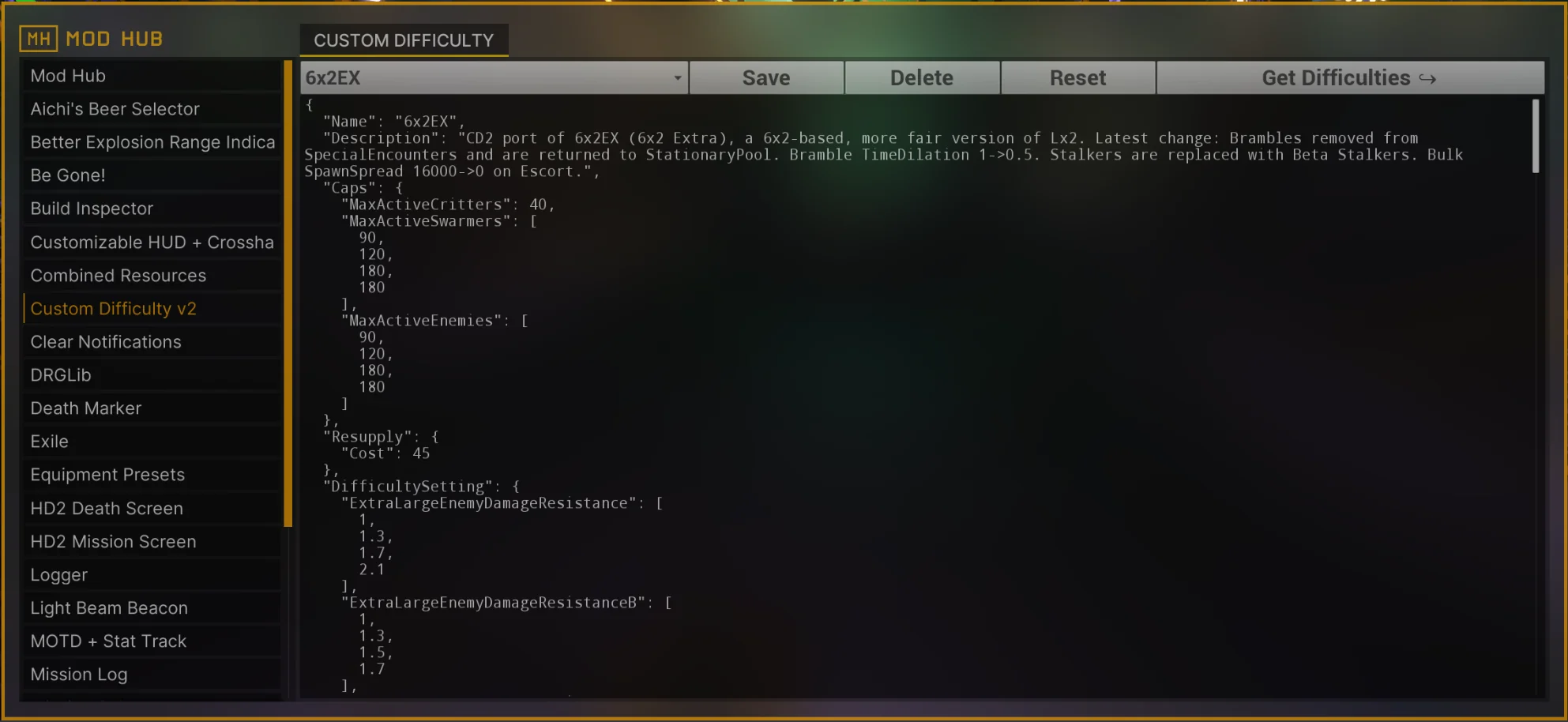
Modhub 中的 CD2 主界面。
你的难度可以在文本框中粘贴或编辑。点击 Save 后,该难度会根据顶层字段 Name 后面的部分命名保存。如果同名难度已存在,则会覆写旧难度。你保存的难度均存于模组配置中,可以通过下拉菜单查看。
英文原文
The files for your difficulties can be pasted and edited in the text box. After clicking Save, the file will be saved based on the name in the Name top level field; if the file already existed, it will be overwritten. Difficulties get saved inside your mod config. You can check all your difficulties by clicking on the drop-down menu.
Reset 会将当前难度设为游戏启动时的默认难度。
英文原文
The Reset button sets a difficulty as a default upon starting the game.
CD2 难度文件要求 · The CD2 files
- CD2 文件使用 JSON 格式。
英文原文
CD2 files are in the JSON format. - CD1 难度文件与 CD2 不兼容。
英文原文
CD1 files are not compatible with CD2. - 文件的顶层字段就是各种具有不同功能的 Modules(模块部分)
英文原文
The top level fields of the file are modules with different functionalities. - 如果 CD2 文件中缺少某个模块或字段,则会使用
BaseHazard中的默认值。BaseHazard可以在DifficultySetting模块中指定。如果未指定,则默认使用 Hazard 5。实测:未写BaseHazard时,CD2 实际以玩家在任务里选择的那个官难为基准,而不是固定 Hazard 5——上面这句是上游原文的写法,与实测不符,以实测为准。英文原文
If a module or a field is missing from a CD2 file, the value from theBaseHazardfor the file is taken. TheBaseHazardcan be specified inside theDifficultySettingmodule. If none is specified, the base hazard is Hazard 5. - 一个内容仅为
{}的文件就代表原版 Hazard 5。待核实:未写BaseHazard时基准取自玩家所选的官难(见上一条),所以本句是否成立取决于所选难度——此项尚未实测,先按待核实处理。英文原文
A file that is just{}represents vanilla Hazard 5. - 大多数接受浮点数或整数的字段,也可以接受相同类型的数组:
英文原文
Most fields that admit floats or ints accept also an array of the same type:
{
    "Caps": {
        "MaxActiveEnemies": [90, 120, 180, 180]
    }
}例如上面这个例子,MaxActiveEnemies 会随着玩家人数(1~4 人)变化,依次使用数组中的数值。你也可以拓展这个数组,以适应 4 人以上的情况:
英文原文
which means that MaxActiveEnemies scales with the number of players, 1 to 4, with the values specified inside. The arrays can be as large as desired to accomodate for 4+ player lobbies:
{
    "Caps": {
        "MaxActiveEnemies": [90, 120, 180, 180, 210, 210, 240, 240]
    }
}
如果玩家人数超过数组长度,则会使用数组的最后一个值。
英文原文
If the lobby has more players than indices in the array, the last value is used.
- 大多数字段都可以使用 Mutators 根据游戏条件动态变化。最好的学习方法是参考别人已经写好的难度文件来理解它们是怎么运用的。
英文原文
Most fields can change based on gameplay conditions using mutators. The best way to learn how to use them is to look at already existing difficulties and trying to understand what they do.
下面是一个 Hazard 5x2 难度的实例,即在 5 级难度的基础上,让敌人数量翻倍,且补给消耗为 60 硝石:
英文原文
The following is a very simple file for Hazard 5x2, that is, vanilla Hazard 5 with double enemies and a 60 nitra resupply cost:
{
  "Name": "Hazard 5x2",
  "Caps": {
    "MaxActiveSwarmers": [ 90, 120, 180 ],
    "MaxActiveEnemies": [ 90, 120, 180 ]
  },
  "Resupply": {
    "Cost": 60
  },
  "DifficultySetting": {
    "BaseHazard": "Hazard 5",
    "EnemyCountModifier": [ 1.7, 1.7, 2.5, 3 ]
  }
}